

Vercel
Common Issues and Solutions
Preview Deployment Protection
Problem: When Deployment Protection setting is enabled on Vercel, it's not possible to trigger and complete a workflow run on a preview deployment.
Solution: Vercel provides a way to bypass this protection by using a bypass secret. To create one, follow these steps:
Settings
Find related section
Click on Add Secret under Protection Bypass for Automation section.
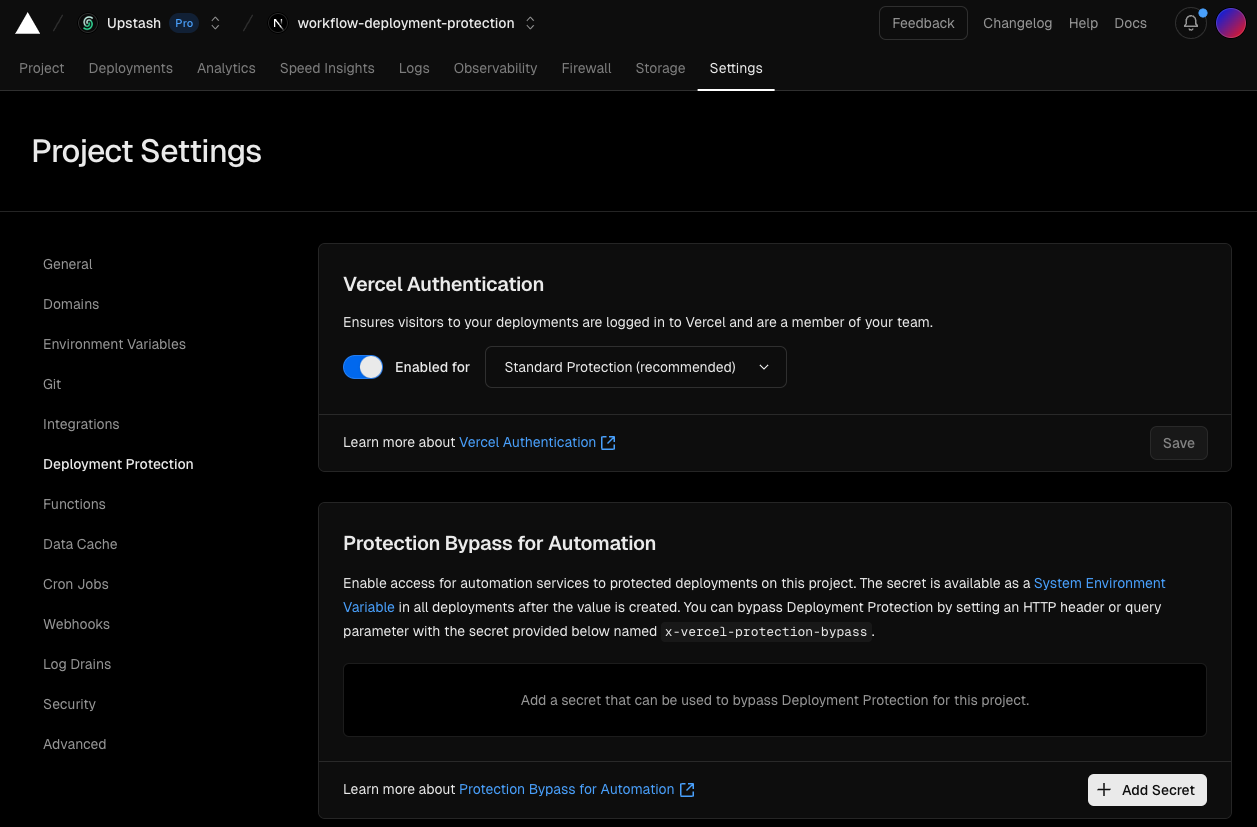
Generate a bypass token
VERCEL_AUTOMATION_BYPASS_SECRET).Now that you have a bypass token, you need to pass it as a header in two places to bypass deployment protection.
Using the Bypass Secret
Step 1: Configure QStash Client with Headers
Configure the QStash client with the bypass header in your workflow serve options. This ensures that all workflow steps, including context.invoke calls, will include the bypass header automatically:
import { Client } from '@upstash/qstash'import { serve } from '@upstash/workflow/nextjs'export const { POST } = serve<string>(async (context) => { // your workflow logic}, { qstashClient: new Client({ token: process.env.QSTASH_TOKEN!, headers: { "x-vercel-protection-bypass": process.env.VERCEL_AUTOMATION_BYPASS_SECRET! } })})Step 2: Pass Header When Triggering
When triggering the workflow using curl or client.trigger, you must also pass the bypass secret as a header:
import { Client } from "@upstash/workflow";const client = new Client({ token: "<QSTASH_TOKEN>" })await client.trigger({ url: "https://vercel-preview.com/workflow", headers: { "x-vercel-protection-bypass": process.env.VERCEL_AUTOMATION_BYPASS_SECRET! }, body: "Hello world!"})curl -X POST \ 'https://vercel-preview.com/workflow' \ -H 'x-vercel-protection-bypass: <PROTECTION_BYPASS_SECRET>' \ -d 'Hello world!'Note that you should apply both of the steps above. The header must be passed when triggering the workflow AND configured in the QStash client for subsequent workflow steps to work properly.